Today, Follow up and Numbers
Today is the first screen you see: today's visits, what needs doing, and new booking requests. Follow up lists the customers waiting on you, each with a suggested next step. Numbers shows how the business is doing.
Today
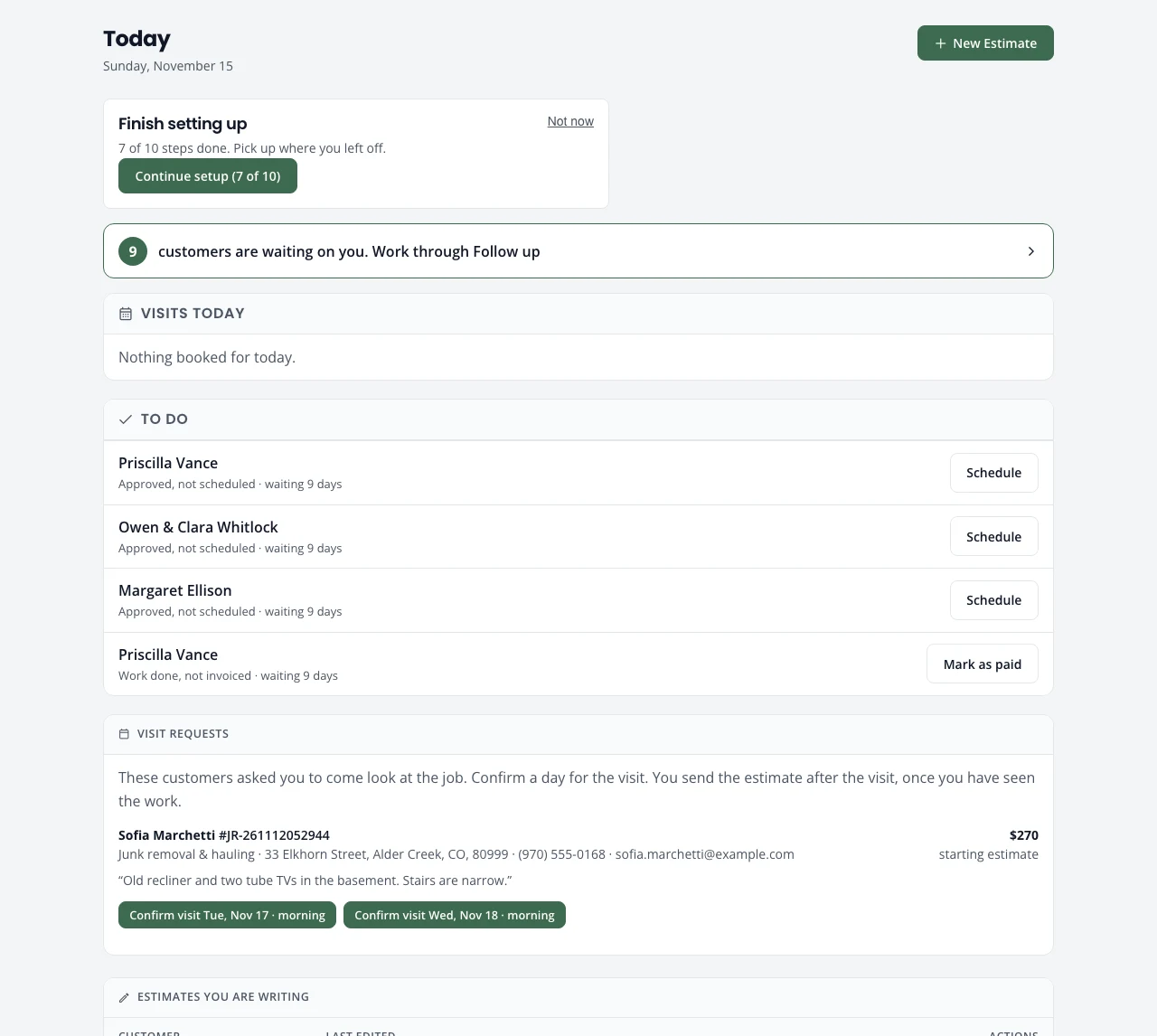
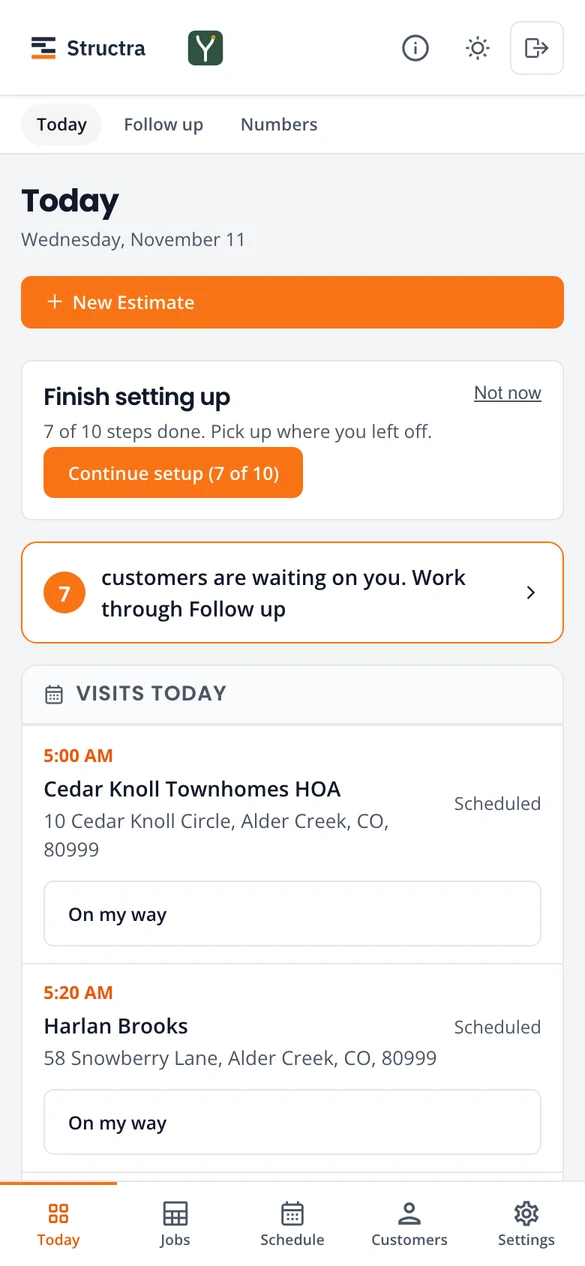
From the top:
- New Estimate starts an estimate. See Estimates.
- Finish setting up shows until the setup guide is done.
- The orange banner counts the customers waiting on you. Press it to open Follow up.
- Visits today: each visit with its time, address and one button for the next step, usually On my way.
- To do: jobs stuck at a step, such as approved but not scheduled, or work done but not paid, with how long they have waited and the button that moves them on.
- Visit requests or Booking requests: customers who booked online. With Visit first (the setting every company starts with), press Confirm visit on one of the days they picked: the visit goes on your schedule and you send the estimate after you have seen the job. With Book the work, press Confirm: the job is scheduled and the estimate goes to them to sign. See Online bookings.
- Estimates you are writing: drafts you started and did not finish. Resume or Delete.
- Your website: whether it is live, with its link, or what it still needs.
Follow up
Follow up gathers every customer who is waiting on you into lists. Each row says what to do next and has a button for it.
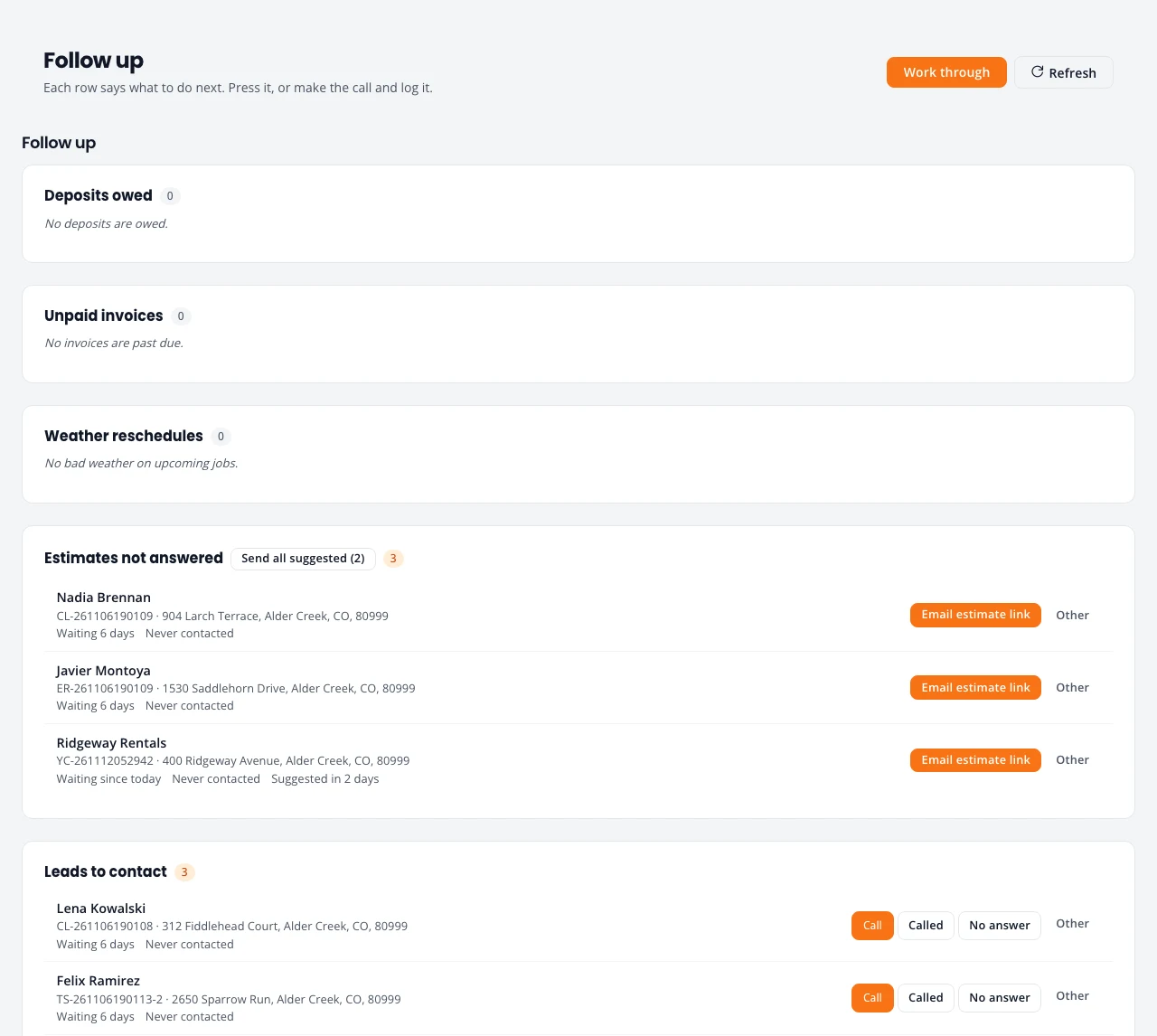
- Press the suggested button (for example Email estimate link or Send review request). It sends the email and logs it.
- Or make the call yourself and log what happened: Called, No answer, or Other for snooze, mark lost and the rest.
- Send all suggested does the suggested step for every row in a list that is due.
- Work through takes you one row at a time.
Each row shows how long the customer has waited and when you last contacted them. A row that is not due yet says Suggested in 2 days, so you are not nagging people the day after you sent an estimate.
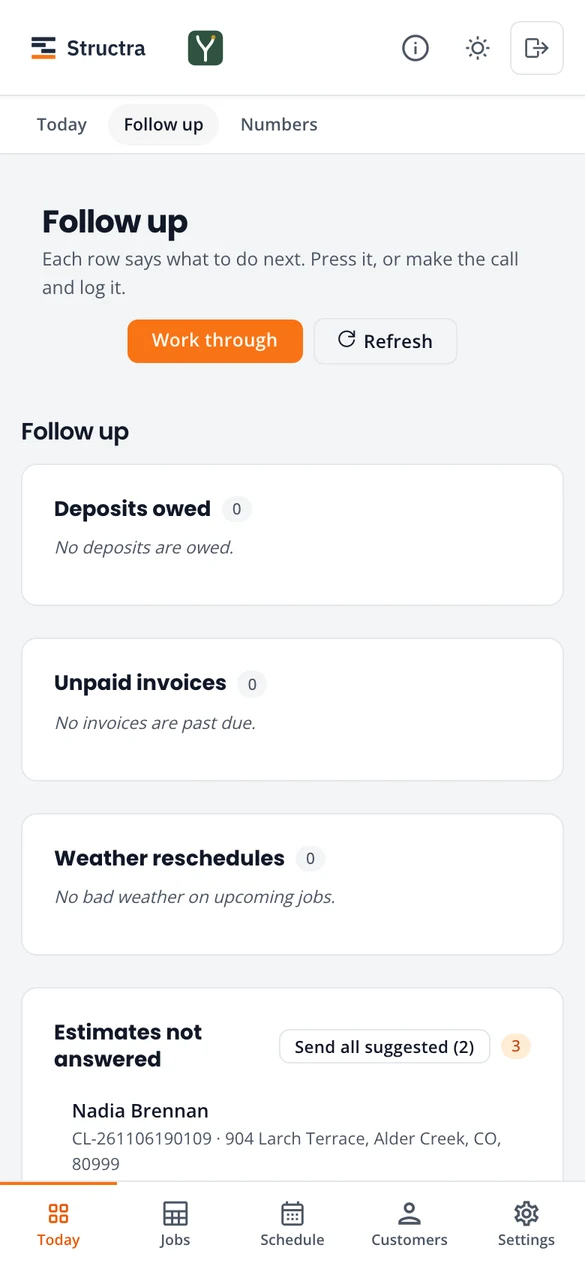
What puts a customer on Follow up
- Deposits owed: they signed, and the deposit is not paid.
- Unpaid invoices: an invoice is past its due date with money still owed.
- Weather reschedules: the forecast for an upcoming visit looks bad.
- Estimates not answered: you sent an estimate and the customer has not signed it.
- Contracts unsigned (only if you use a service agreement): the agreement is not signed yet.
- Leads to contact: a new request nobody has priced yet.
- Reviews to ask for: a job paid in the last 30 days whose customer has not been asked yet.
- Visits to bill: a finished recurring or snow route visit with a price and no invoice yet. Press Send invoice, or Charge card when the customer has a card on file. Send all suggested never sends these invoices; each is sent one at a time. A visit priced at $0 never shows here.
- Plan payments due: a budget plan month that is due and not paid. Press Charge on the row, or Charge all beside the title. A row that cannot be charged says why, for example no card on file. See Budget plans.
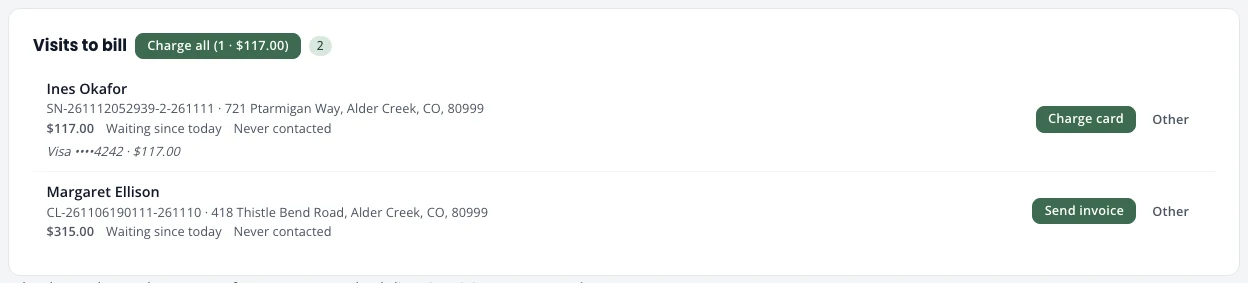
A row leaves the list when the job moves on, or when you mark it done or lost. A visit to bill stays until it is billed.
Numbers
Numbers is for admins. Pick This month, Last month, Last 90 days or This year.
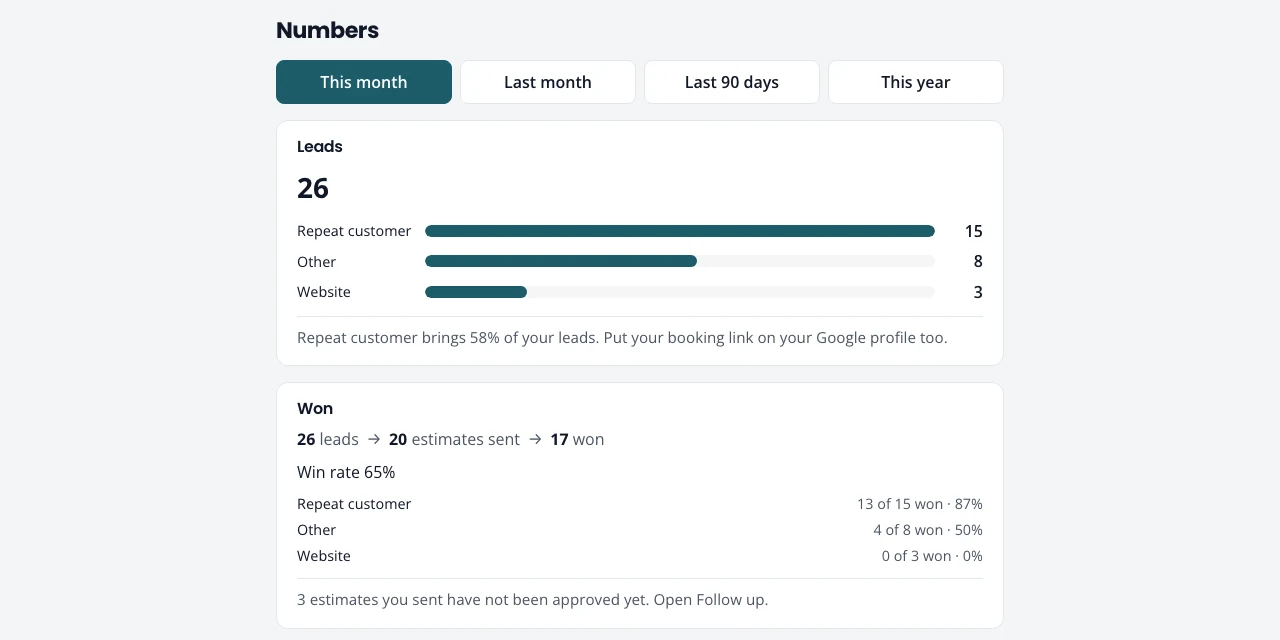
- Leads: how many, and where they came from (your website, booking page, Google, repeat customers, phone). A line under the bars says which source to grow.
- Won: leads, estimates sent and jobs won, with the win rate per source.
- Money in and Money owed: what was paid, and deposits and invoices still open.
- Reviews: your average and how many you asked for and received.
Where a lead came from is recorded on its own: the booking page and website links carry a tag, and you pick How did they find you? when you type in a phone call.
Stuck on something? Email support@northforktrades.com and tell us what you were trying to do.